
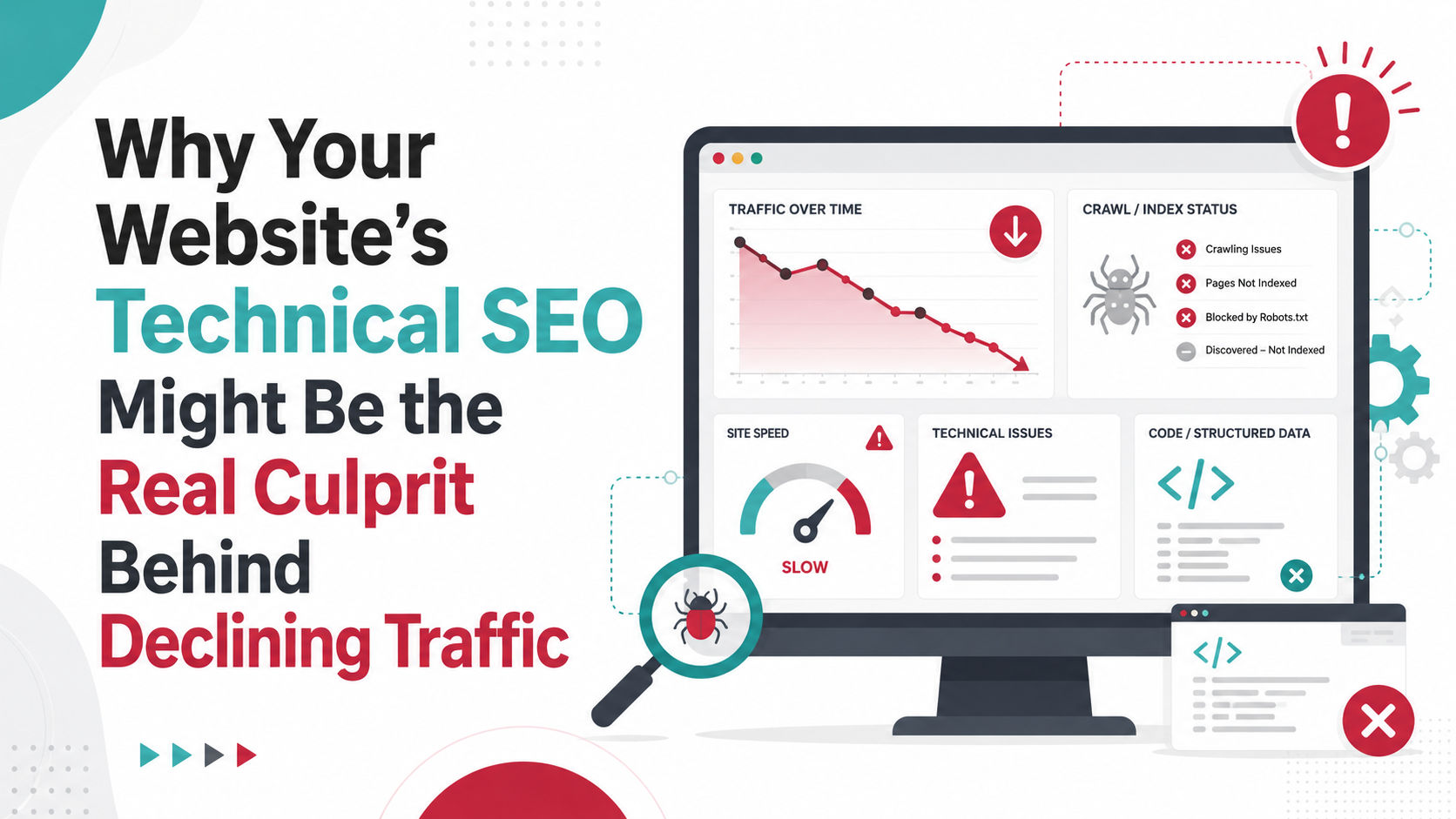
Why Technical SEO Gets Overlooked When Traffic Drops
If you’re seeing your website traffic fall, your mind probably jumps to content or marketing. Maybe your blog isn’t fresh enough. Maybe your ads aren’t converting. But there’s another, less obvious reason: technical SEO issues. Most business owners don’t look under the hood of their site. You focus on what’s visible—your services, your blog, your offers. But search engines see your website differently.
Technical SEO covers the behind-the-scenes structure that helps search engines crawl and understand your site. This includes things like how fast your pages load, whether your site is mobile-friendly, and if your website links work. When these things go wrong, your traffic can drop—even if your content is excellent.
Many businesses in Petaluma and beyond have great websites on the surface. But technical SEO issues can quietly block your pages from ranking well. If you’ve worked hard on your marketing but still see less website traffic, it’s time to consider what’s happening behind the scenes.
For further reading, see Five Technical SEO Checks in a Website Audit from fremont.edu.
Are you sure your site is easy for Google to access and understand? Or could hidden technical mistakes be pushing you down in search results?
How Technical SEO Issues Directly Affect Your Website Traffic
Technical SEO issues can cut off your site’s main source of new customers—organic traffic from search engines. If Google or Bing can’t easily access your pages, they can’t show your business to potential customers. This can shrink your reach almost overnight.
For example, if your site’s code blocks search engines, your entire website could disappear from search results. If your pages load slowly, people might leave before they even see your offer. Or, if your mobile version is broken, people searching on their phones won’t stick around.
- Indexing problems: If search engines can’t find your pages, no one else will either. Even one accidental setting can hide your entire site.
- Broken links or pages: If your pages return errors, visitors (and search engines) will give up. Google may drop those pages from its results.
- Site speed: Every extra second your site takes to load can drive people away. Google tracks this and lowers rankings for slow sites.
- Mobile usability: With more than half of searches on phones, a site that isn’t mobile-friendly will lose out.
These technical SEO issues can cause sudden, sharp drops in traffic—or a slow, steady decline that’s hard to spot until it’s a big problem. If you haven’t checked your website’s technical health lately, you could be missing out on dozens (or hundreds) of new visitors each month.
Common Technical SEO Issues That Cause Traffic Loss
Many business owners aren’t aware of the most common technical SEO issues. These problems can lurk in the background and gradually erode your site’s traffic. Here are some you should watch for:
- Noindex tags: Accidentally telling Google not to list certain pages, or sometimes your whole website, in search results.
- Broken links (404 errors): Links or pages that lead to “page not found” errors, which frustrate both users and search engines.
- Slow site speed: Large images, old plugins, or too much code can make your website sluggish and hurt rankings.
- Mobile usability problems: Text too small, buttons too close together, or layouts that don’t fit smaller screens.
- Duplicate content: When the same content appears in multiple places on your site, confusing search engines about which page to rank.
- Poor crawlability: Complicated navigation, missing sitemaps, or robots.txt files that accidentally block search engines from parts of your site.
- Missing or incorrect redirects: Not properly forwarding old URLs to new ones, which causes page errors and lost traffic.
- Unsecure pages (HTTP instead of HTTPS): Google prefers secure sites and will sometimes warn users away from unsecure ones.
- Outdated XML sitemaps: Sitemaps help search engines find your pages. An outdated one can stop new pages from being indexed.
Even one of these technical SEO issues can hurt your rankings. Several together can cause a major drop in visitors—often without warning.
Warning Signs Your Traffic Drop Is a Technical SEO Problem
It’s not always obvious when technical SEO issues are to blame for your lower traffic. But there are warning signs you can watch for. If you see any of these, your site’s technical health may need attention:
- Traffic drops suddenly after a website update: Did your traffic fall right after a redesign or software upgrade? A technical error may have crept in.
- Google Search Console shows indexing errors: You see warnings about pages not being indexed, or sudden spikes in errors.
- Your site is missing from search results: When you Google your business or key pages, they don’t appear as they used to.
- Lots of 404 errors: Analytics or Search Console shows visitors landing on missing pages.
- Mobile traffic drops more than desktop: Issues with your mobile site can cause mobile users—and Google—to avoid your site.
- Sudden increase in bounce rates: People leave your site quickly, possibly due to slow loading or broken pages.
- Security warnings: Browsers warn visitors your site isn’t secure, scaring people away.
Have you noticed any of these symptoms? These signs point to technical SEO issues that need fixing before your rankings and traffic fall even further.
How to Spot Technical SEO Issues on Your Website
Finding technical SEO issues is easier than you think, even if you’re not a tech expert. You don’t need to understand code—you just need the right tools and a process. Here’s how you can check your site for common problems:
- Use Google Search Console: This free tool shows errors, indexing problems, and security issues. Check the Coverage and Mobile Usability reports for red flags.
- Test your page speed: Use tools like Google PageSpeed Insights. Enter your URL and see if your site is slow or has technical recommendations.
- Check mobile friendliness: Google’s Mobile-Friendly Test shows if your site works well on phones and tablets.
- Look for broken links: Tools like Screaming Frog or online link checkers can crawl your site and find pages that return errors.
- Review your robots.txt and sitemap.xml: Make sure you’re not blocking important pages from search engines by accident.
- Search for your site on Google: Type “site:yourdomain.com” into Google. If pages are missing, there may be indexing or technical SEO issues.
- Check for security: Make sure your site uses HTTPS. Look for a padlock in your browser’s address bar.
If this feels overwhelming, a company like RAD Web Marketing can run a technical SEO audit and explain the results in plain English. The important thing is to be proactive—don’t wait for a major traffic loss to start looking.
Technical SEO Issues: The Hidden Obstacles to Growth
Technical SEO issues aren’t just a minor nuisance—they can quietly limit your business growth. You may think your marketing is working, but if search engines can’t find or understand your site, your reach will stay small.
Here’s what these hidden obstacles can do:
- Block new customers from discovering you: If your key pages aren’t indexed, your business won’t show up for important searches.
- Reduce trust: Broken pages or security warnings make people question your professionalism.
- Waste your marketing budget: If you’re running ads or creating content, but technical issues block organic traffic, you’re not getting full value.
- Hurt your local reputation: In places like Petaluma, word spreads fast. A buggy or slow website can hurt your word-of-mouth and reviews.
Many companies only realize these obstacles exist after a big drop in website traffic. But the best time to fix technical SEO issues is before they cause lasting damage. Ongoing website maintenance helps you stay ahead of these problems and keep your site climbing in search results.
Real-World Examples of Traffic Drops from Technical SEO Problems
Wondering how these issues look in real businesses? Here are some examples where technical SEO issues caused real, measurable drops in website traffic:
- A local retailer added “noindex” to their entire site: After a website redesign, an accidental setting blocked Google from indexing the site. Organic traffic dropped by over 80% in a week. The issue was only found after customers reported the site missing from search.
- A restaurant’s menu page disappeared: A broken link after a site update caused their most popular page to show a 404 error. They lost reservations and saw fewer new customers until the link was fixed.
- Slow mobile speeds hurt a service business: Images that were too large made the homepage take over 10 seconds to load on phones. Bounce rates spiked, and mobile traffic fell by half. After optimizing images, traffic returned to normal.
- HTTPS not set up correctly: A law firm’s website showed security errors in browsers, scaring off clients. Google also lowered the site’s rankings. Setting up a valid SSL certificate fixed the issue.
- Outdated sitemap stopped new pages from being indexed: A company launched several new services, but forgot to update their sitemap. Weeks later, these new pages still weren’t showing up in search results.
If you’re unsure whether technical SEO issues are affecting your traffic, think about any recent changes to your website. Even small updates can sometimes trigger big problems.
What to Do If You Suspect Technical SEO Is Hurting Your Traffic
If your website traffic is falling and you think technical SEO issues are to blame, don’t panic. Here’s a simple action plan to help you get started:
- Hold off on major changes: Don’t rush to rewrite content or launch new campaigns until you review your site’s technical health.
- Check Google Search Console: Look for errors, warnings, and indexing issues. Note any new problems that appeared around the time your traffic dropped.
- Test your site on desktop and mobile: Visit your site from different devices. Look for broken links, slow loading, or layout problems.
- Run a technical SEO audit: Use free online tools or reach out to a digital marketing company like RAD Web Marketing. An audit will show you exactly what’s wrong.
- Fix critical issues first: Prioritize problems that block search engines (like noindex tags, broken links, or security errors).
- Monitor your traffic after fixes: Watch your analytics and Search Console for improvements. Recovery can take days to weeks, depending on the problem.
- Document any changes: Keep track of what you fixed and when, so you can measure results and avoid repeating mistakes.
Don’t be afraid to ask for help if this feels out of your depth. Technical SEO can be tricky, but the right help can restore your rankings and traffic much faster.
Making Technical SEO Part of Your Regular Website Maintenance
Preventing technical SEO issues is much easier than fixing them after a drop. By making technical checks part of your regular website maintenance, you can avoid most traffic problems before they start.
Here’s how to build technical SEO into your routine:
- Schedule monthly technical audits: Check for broken links, crawl errors, and site speed at least once a month.
- Update plugins, CMS, and themes: Keep your website’s software current to prevent bugs and security issues.
- Monitor Google Search Console: Review reports weekly for any new errors or warnings.
- Test mobile usability: Check your site’s layout and speed on different devices after any major update.
- Backup your site regularly: If something goes wrong, you can quickly restore your site to a working version.
- Review your robots.txt and sitemaps after changes: Make sure you’re not blocking important pages and that new content is being indexed.
If you’d rather spend your time running your business, consider a maintenance plan with a trusted partner like RAD Web Marketing. Technical SEO doesn’t have to be a headache—it just needs regular attention.
Ready to get your website traffic back on track? Call RAD Web Marketing at 707-205-3600 for a technical SEO review that speaks your language and delivers real results for your business.
Frequently Asked Questions
What are the most common technical SEO issues that can cause my website traffic to drop?
Common technical SEO problems include slow page load times, broken links, missing or incorrect sitemaps, non-mobile-friendly designs, and errors in robots.txt files. These issues make it harder for search engines to crawl and rank your website, which can lead to a significant drop in organic traffic.
How can I check if my website has technical SEO problems?
You can use free tools like Google Search Console or Screaming Frog to scan your website for technical issues. Look out for crawl errors, broken links, and mobile usability problems—fixing these can quickly improve your site’s visibility.
Can technical SEO issues affect my website even if my content is good?
Yes, even with high-quality content, technical SEO issues can prevent search engines from properly indexing your pages. If Google can’t access or understand your site structure, your content may not appear in search results, costing you valuable traffic.
How do I fix technical SEO issues on my website?
Start by identifying issues with tools like Google Search Console, then address problems such as site speed, mobile responsiveness, and broken links. If you’re unsure where to start, RAD Web Marketing in Petaluma can help audit and fix your website’s technical SEO—call 707-205-3600 for expert assistance.
Do technical SEO mistakes affect local businesses differently?
Local businesses rely heavily on search visibility in their area, so technical SEO issues can make it much harder for nearby customers to find you. Ensuring your website is technically sound is especially important for attracting local traffic and staying competitive in your community.












































0 Comments