
Is AI Replacing Graphic Designers or Making Them Better?
AI is making graphic designers better by handling repetitive tasks and speeding up workflows, not replacing their creativity or design judgment. The core ideas, concepts, and personal touch that make great design still come from humans.
AI tools can generate templates, suggest color palettes, and even create simple logos, but they lack the ability to understand your brand’s story or the emotional impact you want to create. A designer brings context, experience, and a sense of style that machines can’t match. For example, a designer can look at your business and craft a visual identity that matches your values, while AI can only remix what it’s been fed. By streamlining tasks like logo design, AI tools such as Canva allow graphic designers to focus more on creative strategy and client collaboration rather than repetitive work. By integrating AI tools into website design, graphic designers can streamline layout creation, enhance user experience, and deliver visually compelling results more efficiently for their clients. By leveraging AI tools, graphic designers can streamline tasks like custom WordPress design, allowing them to focus on creativity while delivering unique, client-tailored websites efficiently. AI tools can automate routine tasks like website maintenance, allowing graphic designers to focus more on creative projects and deliver higher-value work to their clients.
Many designers now use AI to get more done in less time — freeing up their energy for branding, strategic thinking, and creative problem-solving. At RAD Web Marketing, our designers use AI as a productivity partner, but never rely on it for the original spark that makes your business stand out.
For further reading, see How AI is Changing the Graphic Design Professional Career from customcareer.miami.edu.
What Tasks Does AI Handle So Designers Can Focus on Creativity?
AI takes on time-consuming, repetitive, or technical tasks, leaving designers free to focus on the creative and strategic side of their work.
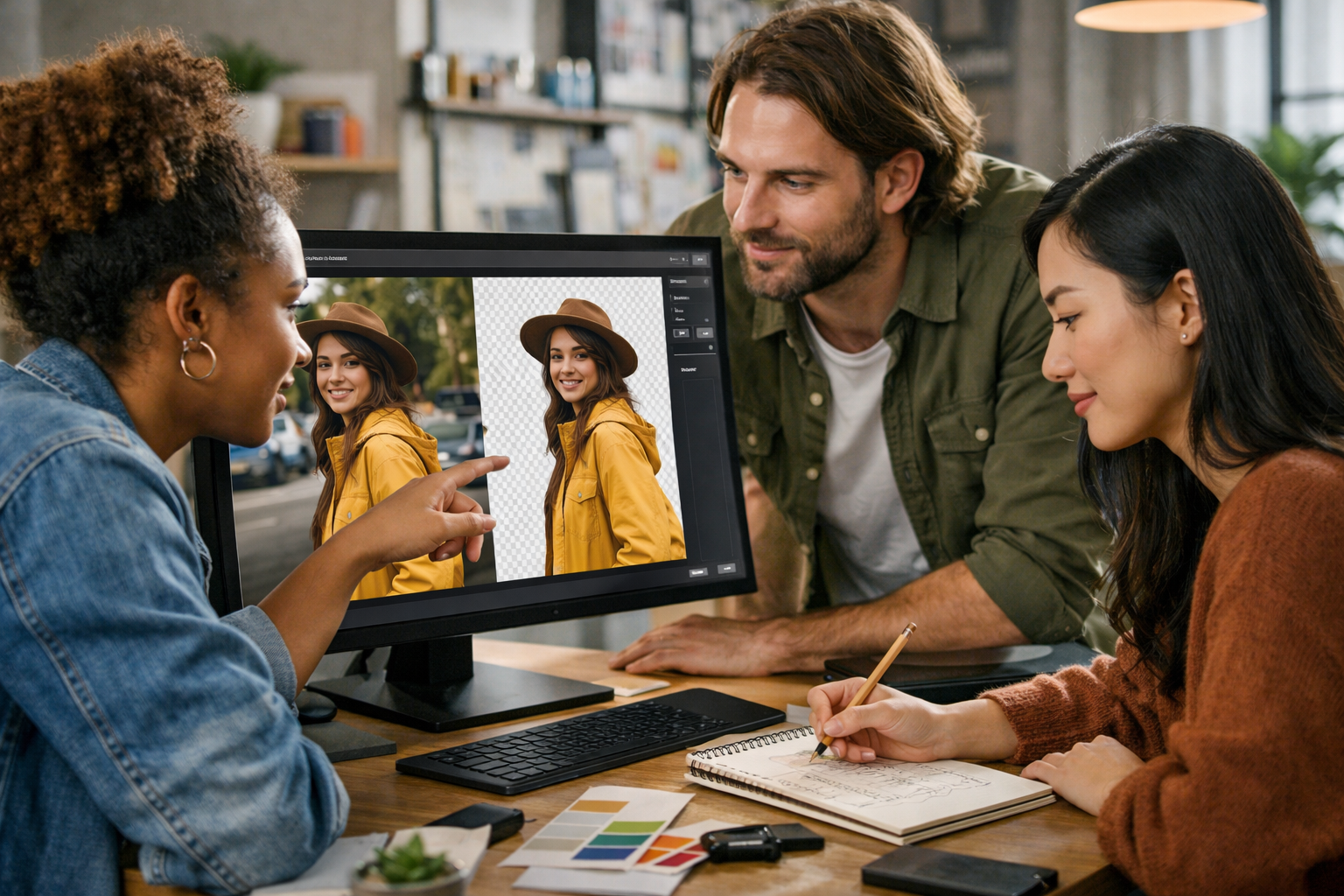
- Background removal: Instantly cuts out backgrounds from images, a task that used to take minutes or hours.
- Resizing and formatting: Automatically adapts visuals for different platforms (social media, web, print).
- Stock photo searching: Suggests relevant images based on keywords or existing content.
- Color palette suggestions: Analyzes images or themes and recommends harmonious color schemes.
- Template generation: Creates layouts or design drafts for common needs (flyers, ads, presentations).
- Basic logo concepts: Generates starting points for logos, which designers can refine.
- Simple photo retouching: Clears blemishes, adjusts lighting, or sharpens images automatically.
- Text-to-image conversions: Creates draft illustrations or icons from a text prompt.
By automating these steps, designers spend less time on manual work and more time thinking about your goals, your audience, and how to communicate your brand visually.
How Are Graphic Designers Using AI to Boost Productivity?
Designers use AI to speed up routine jobs, generate inspiration, and experiment with new ideas faster — all of which means more value for you without sacrificing quality.
For example, instead of manually resizing dozens of images for your website and social channels, a designer can use AI-driven tools like Adobe Sensei or Canva’s Magic Resize to convert all assets in seconds. AI-based background removal tools like remove.bg cut out hours of tedious Photoshop work.
Designers also use AI to:
- Get quick drafts or mood boards for brainstorming sessions
- Spot-check brand consistency (like color or font usage) across a large project
- Instantly generate alternative layouts or color options for client review
- Automate repetitive edits — such as batch-correcting exposure on a set of product photos
This lets designers spend their time refining your message, strategizing for your market, and creating memorable visuals — instead of getting bogged down with busywork.
Can AI and Graphic Design Coexist Without Losing Human Touch?
Yes, AI and graphic design can coexist, as long as designers keep control over the vision, personal style, and brand storytelling.
AI excels at repetitive or technical tasks, but it can’t understand the culture, values, or emotional tone you want to convey. For example, AI can suggest a color palette, but only a designer can decide if those colors match your business’s personality or appeal to your target customers.
Designers use AI as a tool, not a replacement for their creative thinking. They review and refine AI-generated drafts, ensuring that the final product feels authentic and resonates with your audience. At RAD Web Marketing, our team uses AI to make the process faster and more flexible, but the final decisions and finishing touches always come from experienced professionals who know how to connect with people.
Have you ever seen a logo or website that looked generic or impersonal? That’s often where AI was used in isolation, without a designer’s expertise. The best results come from blending AI’s speed with human creativity.
What New Opportunities Has AI Created for Graphic Designers?
AI has opened up new ways for designers to work, experiment, and offer services that weren’t practical before.
- Faster prototyping: Designers can quickly create multiple drafts or mockups to test ideas with clients.
- Personalized marketing materials: AI can help tailor designs to specific customer demographics or even individual preferences.
- Smaller businesses get big-agency results: Affordable AI tools make high-quality design accessible to startups and small businesses.
- New creative roles: Designers can specialize in AI-assisted branding, prompt engineering (writing instructions for AI), or rapid content creation.
- Improved accessibility: AI can help designers create visuals that are more accessible to people with disabilities, by checking color contrast or suggesting alt text.
- More data-driven design: AI can analyze which visuals perform best and help designers optimize for engagement or sales.
These opportunities mean designers can offer more value, take on more complex projects, and help clients like you reach your goals faster.

How AI and Graphic Design Teams Collaborate for Better Results
Teams get better results when designers and AI work together — with humans setting the vision and AI handling the heavy lifting where appropriate. For designers seeking to streamline their workflow with AI tools, Windsor offers automated video personalization services that can help enhance client presentations and marketing materials.
Typically, the process looks like this:
- The designer consults with the client to define goals, audience, and style.
- AI tools generate initial drafts, layouts, or suggestions based on the designer’s input.
- The designer reviews, customizes, and refines these drafts, adding personal touches and strategic details.
- AI assists with scaling assets, checking brand consistency, or preparing files for different platforms.
- Final review and polishing are always done by the designer to ensure the result feels authentic and on-brand.
For instance, a designer might use AI to produce several quick variations of a social media ad, then pick the strongest one to develop further. The result is more ideas, better quality, and a faster path to success.
What Limitations Does AI Still Have in Graphic Design?
AI has clear strengths, but it also has limits — especially when it comes to creativity, context, and understanding your brand’s unique story.
- Creativity: AI can remix ideas, but it can’t originate fresh concepts or invent new visual styles.
- Context: AI lacks understanding of cultural trends, brand history, or emotional nuance.
- Consistency: AI sometimes produces results that are inconsistent or off-brand, requiring expert review.
- Complex requests: AI struggles with nuanced design briefs or abstract concepts that need interpretation.
- Legal and ethical awareness: AI can inadvertently use copyrighted material or generate insensitive imagery without realizing it.
- Personal touch: AI can’t match the intuition, empathy, or unique style of a skilled designer.
- Quality control: AI-generated images may look good at first glance but have flaws on closer inspection (like awkward details or poor composition).
Because of these limits, businesses still need designers to guide, review, and finish every project. AI is a powerful helper, but not a substitute for human expertise.
How Should Business Owners Approach Hiring Designers in the Age of AI?
Business owners should look for designers who use AI as a tool but still deliver original, thoughtful, and brand-focused work.
- Ask about their process: Do they use AI to speed up routine work, or do they rely on it for creative decisions?
- Review their portfolio: Look for a consistent style and evidence of strategic thinking, not just trendy effects.
- Seek communication skills: Choose designers who listen, ask questions, and understand your goals — not just those who can generate quick drafts.
- Value collaboration: The best results come from designers who blend AI efficiency with human insight.
- Consider ongoing support: Design isn’t a one-time task. Find someone who can maintain, update, and adapt your visuals as your business grows.
- Check for legal awareness: Make sure your designer understands copyright, image licensing, and ethical use of AI-generated assets.
If you want to see how RAD Web Marketing’s team blends AI with expert design, reach out to us for a consultation. We can show you real examples and discuss how this hybrid approach can save you time and money.
What Does the Future Hold for AI and Graphic Design?
The future will bring even smarter AI tools, but human designers will remain essential for ideas, judgment, and connecting with your audience.
Expect AI to get better at routine tasks, generate more realistic images, and offer new ways to personalize marketing. But the need for skilled designers — who can guide AI, interpret your needs, and create work that feels genuinely “you” — will only grow.
Designers who embrace AI will be able to offer faster turnarounds, more creative options, and better results. Businesses that work with these hybrid teams will get the best of both worlds: efficiency and originality.
If you want your brand to stand out in this new era, look for a partner who understands both technology and creativity. RAD Web Marketing specializes in blending digital expertise with a human touch. Ready to see the difference? Call us at 707-205-3600 to talk about how we can help your business shine with smart design solutions.
Frequently Asked Questions
Will AI replace graphic designers in the near future?
No, AI is not replacing graphic designers—it’s helping them work more efficiently. While AI can handle repetitive tasks like resizing images or removing backgrounds, the creativity and strategic thinking needed for great design still come from people.
What design tasks can AI automate for graphic designers?
AI can automate tasks such as background removal, resizing images for different platforms, and suggesting color palettes or stock photos. This allows designers to spend more time focusing on creative ideas and brand strategy.
How can graphic designers use AI tools without losing their creative edge?
Designers can use AI to speed up routine work, freeing up time for brainstorming and creative problem-solving. At RAD Web Marketing, for example, designers use AI for tasks like formatting but rely on their own expertise for original concepts.
Can AI understand my brand story or create custom designs?
No, AI can’t truly understand your brand’s unique story or values—it can only remix existing ideas. For custom design work that reflects your business’s personality, it’s best to work with a professional human designer.
How do I get started using AI in my graphic design projects?
Start by exploring AI-powered tools for simple tasks like background removal or layout suggestions. If you want expert guidance on blending AI with creative strategy, contact RAD Web Marketing for personalized support.





















0 Comments