
Why Google Business Profile Matters for Local SEO
When someone nearby searches for a service you offer—like “web design in Petaluma, CA”—Google often shows a map with local results right at the top. These listings come from Google Business Profile, a free tool that lets you manage how your business appears on Google Search and Maps. If you want your business to show up in those local results, your Google Business Profile local SEO efforts are crucial.
For small businesses, this profile can mean the difference between being discovered first or lost in the crowd. With most searches happening on mobile, and nearly half of all Google searches looking for local information, you need your business to stand out where people are searching.
Imagine someone new in town searching for “digital marketing near me.” If your Google Business Profile is set up and optimized, your business could appear front and center. You get more calls, visits, and website clicks—often from people ready to buy.
Google Business Profile is more than just a listing. It’s your digital storefront. You control your business info, such as address, hours, and services. You can even post updates, respond to reviews, and answer questions right on your profile.
For local visibility, nothing beats being in those map results. That’s why Google Business Profile local SEO is a must for any business owner wanting to get found in their community. With RAD Web Marketing, for example, a well-managed profile means Petaluma clients can find them quickly, call, or visit their website in seconds.
For further reading, see What Is Google My Business Local SEO? from coursera.org.
How a Complete Profile Improves Local Rankings
Google rewards businesses that give searchers detailed, accurate information. A complete Google Business Profile signals to Google that your business is active and trustworthy. The more information you provide, the more likely you are to rank higher in local search results.
Let’s look at what “complete” really means:
- Business name, address, and phone number (NAP) match what’s on your website.
- Business hours are up-to-date, including special holiday hours.
- Categories clearly state your services (e.g., “Web Designer,” “Marketing Agency”).
- Your description shares what makes your business unique.
- Photos show your team, office, and examples of your work.
- Services and products are listed with details and pricing where possible.
- Posts about offers, events, or updates keep your profile fresh.
Google uses this information to decide which local businesses are most relevant to searchers. For example, if someone in Petaluma searches for “SEO help,” and your profile lists SEO as a service with recent posts about your work, Google sees you as a better match than a business with a blank or outdated profile.
A complete profile also builds trust with customers. They’re more likely to choose a business with real photos, detailed services, and accurate hours. This trust signals to Google that you’re a reputable option, which can further improve your rankings.
RAD Web Marketing always recommends keeping your profile information current. Even small updates—like new photos or seasonal hours—show Google you’re active and engaged, moving you up in local search results.
Google Business Profile Local SEO: Direct Ranking Factors
Google uses several factors from your profile to decide where you show up in local search results. Understanding these helps you focus on what matters most when optimizing your Google Business Profile local SEO.
- Relevance: How well your profile matches what someone is searching for. Accurate categories, services, and descriptions are key.
- Distance: How close your business is to the person searching. Google uses your listed address and the searcher’s location.
- Prominence: How well-known or established your business appears online. This includes your reviews, links to your website, and mentions on other sites.
- Profile Completeness: Profiles with more complete and detailed information are more likely to rank well.
- Reviews and Ratings: The quantity, quality, and recency of reviews matter. Google favors businesses with positive, recent feedback.
- Photo Activity: Regularly adding photos and updating images signals ongoing activity to Google.
- Posts and Updates: Posting regularly about offers, news, or events helps keep your profile active in Google’s eyes.
- Consistency of NAP: Your name, address, and phone number should be consistent everywhere—on your website, social media, and directories.
Focusing on these direct ranking factors gives your business a better shot at appearing in the top local results. Even small improvements in your profile can help you compete with bigger names in your area.
How Reviews on Your Profile Drive More Local Traffic
Reviews on your Google Business Profile are a major driver of local customer action. People trust real feedback. According to recent surveys, more than 80% of consumers read online reviews before choosing a business.
Positive reviews do more than just make you look good. They directly influence your Google Business Profile local SEO in several ways:
- Improved Rankings: More high-quality, recent reviews can help you move up in local results.
- Increased Clicks: Searchers are more likely to click on businesses with plenty of positive reviews and high ratings.
- Trust and Credibility: Detailed feedback gives new customers the confidence to call, visit, or book with you.
- Customer Insights: Reviews highlight what you’re doing right—and where you can improve.
Responding to reviews, both positive and negative, shows you care about your customers. This engagement can encourage more people to leave feedback. For example, if a client thanks RAD Web Marketing for fast website updates, a quick thank you response is visible to everyone and makes your business look approachable.
Want more reviews? Ask happy customers directly—after a successful project or a great purchase. You can even create a short link from your profile to make it easy.
Local Search Features Only Available Through Google Business Profile
Google gives businesses with a profile access to exclusive features that aren’t available through regular web listings. These can directly improve how customers find and choose your business.
- Google Maps Placement: Only businesses with a profile can appear directly on Google Maps and in the “map pack” at the top of local searches.
- Posts and Updates: Share news, offers, or events right on your profile so searchers see what’s new.
- Direct Messaging: Customers can message you straight from your profile if you turn on this feature.
- Q&A Section: Answer common customer questions publicly, so everyone sees helpful info.
- Appointment Booking: Integrate booking tools so clients can schedule services without leaving your profile.
- Product and Service Listings: Highlight your offerings with photos, descriptions, and prices.
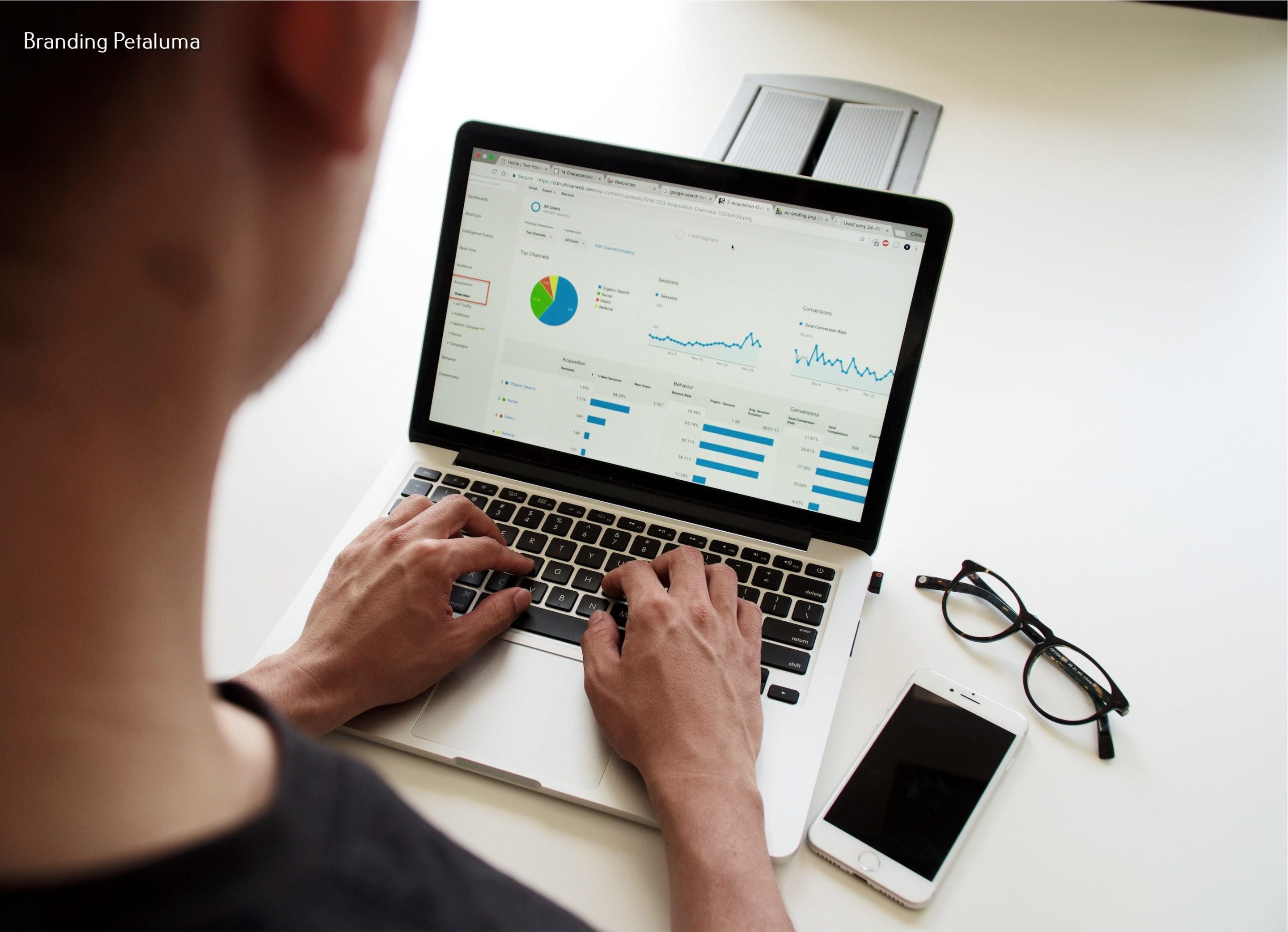
- Insights and Analytics: See how many people viewed, called, or requested directions from your profile.
These features make it easier for customers to interact with your business. For example, a client searching for “SEO in Petaluma” can click to call RAD Web Marketing, check open hours, or book a consultation—all without visiting your website. This convenience often leads to more business from local searchers.
How Accurate Location Data Puts Your Business on the Map
Getting found in local search depends on Google knowing exactly where your business is. If your address or map pin is wrong, you could miss out on customers searching nearby.
Here’s why accurate location data matters:
- Correct Map Placement: Your business will show up in the right spot when people search “near me.”
- Driving Directions: Customers can use Google Maps to get directions to your door. If your address is off, they could end up at the wrong place.
- Service Area Accuracy: If you serve clients at their location, you can define a service area, so only the right searchers see your profile.
- Consistency Across Web: Your name, address, and phone number (NAP) should match exactly everywhere—on your website, social media, and any other directory. Inconsistent info can confuse Google and hurt your rankings.
Imagine a customer is walking around downtown Petaluma searching for “digital marketing near me.” If your Google Business Profile has the correct address and map pin, you’ll appear right where you should—making it easy for them to find you.
Take a few minutes every few months to double-check your info. Update your address if you move, and make sure your business hours reflect any changes. This small step keeps your Google Business Profile local SEO working for you.
How Google Business Profile Helps You Compete with Larger Brands Locally
You might think bigger companies have an advantage online, but Google Business Profile helps level the playing field for small businesses. In local search, Google often prioritizes relevance and proximity over brand size. This means a well-optimized profile can put you right up there with national chains.
Here’s how a strong Google Business Profile gives you a fighting chance:
- Local Map Pack Visibility: Local businesses often appear above larger companies in the map results for searches like “web design near me.”
- Personal Touch: You can showcase unique photos, detailed service descriptions, and real customer reviews that highlight what makes your business special.
- Faster Updates: You can quickly post updates, change hours, or respond to reviews, while big companies take longer to adapt.
- Community Connection: Sharing local projects, partnerships, or events shows your commitment to the area—something big brands can’t always match.
For example, a local business like RAD Web Marketing in Petaluma can show up above national marketing agencies when someone nearby searches for “SEO services.” That’s because Google wants to connect searchers with businesses closest to them, with the most relevant and helpful information.
If you focus on keeping your Google Business Profile complete and current, you can attract new customers even when competing with much larger companies.
Common Mistakes Small Businesses Make with Google Business Profile Local SEO
Even with the best intentions, many business owners miss out on local customers because of simple mistakes. Here are the most common issues that can hurt your Google Business Profile local SEO:
- Incomplete or Outdated Profile: Missing hours, services, or photos make your business look inactive.
- Wrong Address or Map Pin: Customers can’t find you if your info is off by even a little.
- Inconsistent NAP: Using slightly different business names, phone numbers, or addresses across sites confuses Google.
- Ignoring Reviews: Not responding to feedback—good or bad—signals you’re not engaged.
- Not Posting Updates: A profile with no news, offers, or events may look stale to both Google and customers.
- Choosing the Wrong Category: If your main service category isn’t accurate, you’ll show up in the wrong searches.
- Forgetting to Add Photos: Profiles without pictures get less attention and fewer clicks.
- Not Using All Features: Skipping tools like messaging, Q&A, or booking options can limit customer engagement.
Review your profile with fresh eyes every few months to catch these mistakes. A little attention goes a long way in making sure your business stands out locally.
Simple Steps to Maximize Your Local SEO with Google Business Profile
Ready to get more local customers from Google? Follow these steps to make your profile work harder for you:
- Claim and Verify Your Profile: If you haven’t already, claim your Google Business Profile and complete the verification process.
- Fill Out Every Section: Add your business name, address, phone number, website, hours, and service areas. Make sure everything matches your website.
- Choose the Right Categories: Pick a primary category that matches your main service, and add secondary categories where appropriate.
- Add High-Quality Photos: Upload images of your team, office, products, or completed projects. Update your gallery regularly.
- Write a Detailed Description: Tell people why they should choose you. Mention your services, experience, and what makes you different.
- List All Services and Products: Include accurate details and pricing where possible.
- Post Regular Updates: Share news, promotions, or tips at least once a month.
- Ask for Reviews: Encourage happy customers to leave reviews, and always reply to them.
- Monitor Insights: Check your profile’s analytics to see what’s working and adjust your strategy if needed.
- Keep Everything Current: Update your hours, services, and photos whenever anything changes.
These steps don’t take much time but can have a big impact on your local search visibility. If you want expert help, RAD Web Marketing specializes in Google Business Profile local SEO for small businesses in Petaluma and beyond.
Want to start getting more calls, visits, and leads from local search? Call RAD Web Marketing at 707-205-3600. Let’s make sure your Google Business Profile brings more local customers straight to you!
Frequently Asked Questions
How does a Google Business Profile help my small business show up in local search results?
A well-optimized Google Business Profile makes your business more likely to appear in the 'map pack'—the prominent listings shown at the top of local search results. Keeping your info updated and engaging with reviews helps boost your visibility to potential customers nearby.
What information should I include in my Google Business Profile for better local SEO?
Make sure your business name, address, phone number, hours, website, and services are accurate and complete. Adding photos, posting updates, and responding to reviews can also improve your local SEO and attract more customers.
How can I optimize my Google Business Profile to get more calls and visits?
Keep your profile up-to-date, use keywords relevant to your services, and encourage happy customers to leave positive reviews. For expert help, consider reaching out to RAD Web Marketing at 707-205-3600.
Do reviews on my Google Business Profile affect my local search ranking?
Yes, customer reviews and your responses play a big role in local SEO. Regularly getting positive reviews and responding to them shows Google (and potential customers) that your business is active and trustworthy.
Can I use Google Business Profile if I don’t have a physical storefront?
Absolutely! Service-area businesses can list their service areas instead of an address. Just make sure you specify where you serve customers so you still show up in relevant local searches.

































0 Comments