
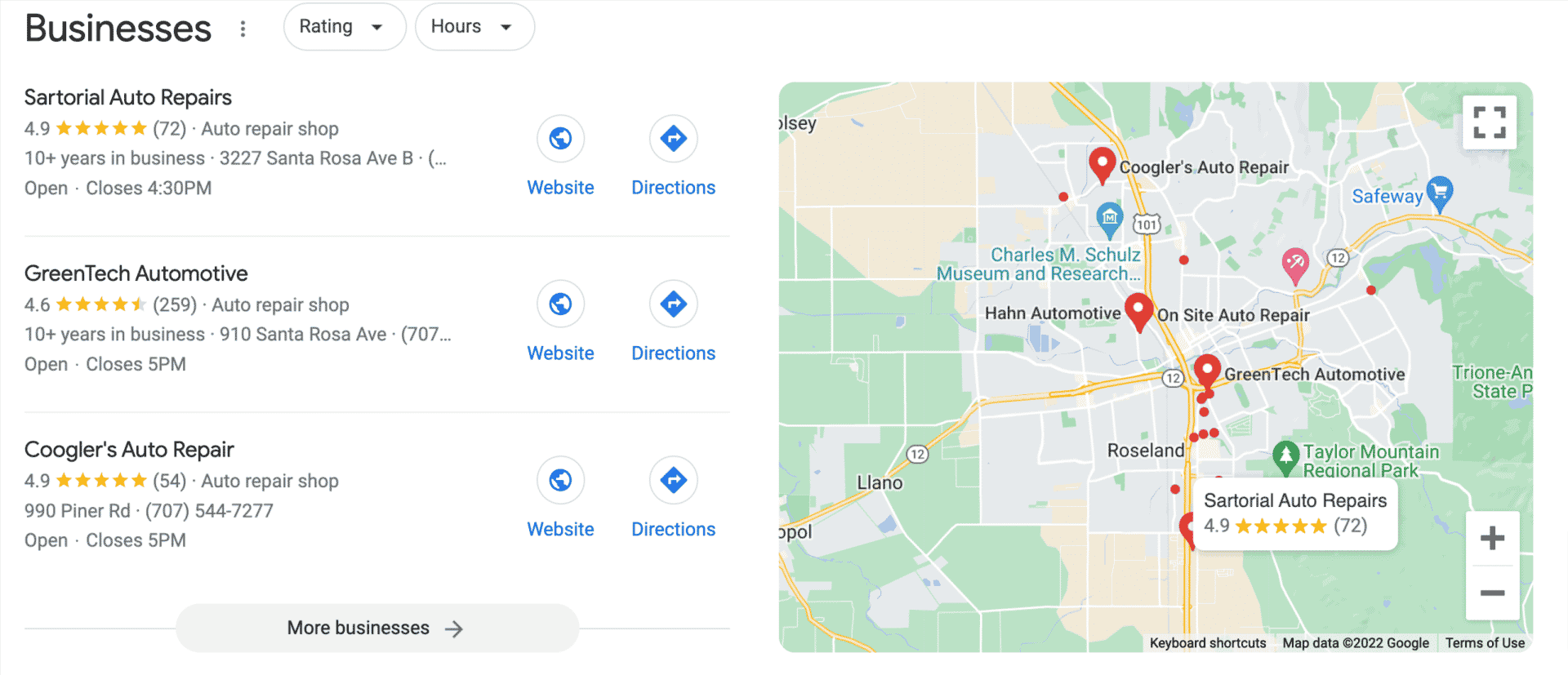
Maintaining a strong online presence is crucial for local businesses, and Google My Business (GMB) plays a vital role in achieving this. However, many businesses face the challenge of their GMB listings being filtered out or penalized by Google. This can significantly impact their visibility and, consequently, their bottom line. In this blog post, we will explore the reasons why your Google My Business listing might be getting filtered out, how to identify these issues, and what steps you can take to remedy the situation. Whether you’re a small business owner or a marketing professional, understanding these dynamics can help you protect and enhance your local online presence.
Understanding Google's Filtering and Penalties
Google's algorithms are designed to provide users with the most relevant and accurate information. This means Google My Business listings must adhere to specific guidelines to avoid being filtered out or penalized. Filtering occurs when Google's algorithm decides not to display your listing, often due to perceived violations of its guidelines. This can happen even if you’re unaware of any wrongdoing.
Common reasons for filtering include:
- Inaccurate Business Information: Google requires consistency across all platforms. Discrepancies in your business name, address, or phone number can lead to filtering.
- Duplicate Listings: Having more than one listing for the same business can confuse Google's algorithm, resulting in penalties.
- Keyword Stuffing: Overloading your business name with keywords to gain visibility can backfire as it may appear spammy to Google's algorithms.
- Category Misalignment: Choosing incorrect categories for your business can lead to reduced visibility or filtering.
For instance, a local cafe that lists itself under “restaurant” rather than “cafe” might find its visibility reduced due to category misalignment. To avoid such issues, regularly audit your GMB profile to ensure all information is accurate and consistent.
How to Identify If Your Listing Is Filtered
Identifying whether your Google My Business listing is filtered requires some investigation. If you notice a sudden drop in phone calls, foot traffic, or customer inquiries, your listing may be affected. Use Google Search and Maps to see if your business appears as it should in local results.
Here’s how you can check:
- Search for Your Business: Use incognito mode to search for your business name and relevant keywords. If your listing doesn't appear, it might be filtered.
- Check Competitor Listings: Compare your business listing with competitors. If competitors are visible and you are not, there might be an issue.
- Use Google My Business Insights: Analyze data for any significant changes in views or actions. A sharp decline could indicate a problem.
For example, a local bakery accustomed to appearing at the top of search results might find its listing suddenly absent, warranting a closer look at possible causes. Regularly monitoring these metrics can help you catch issues early and take corrective action.
Steps to Resolve and Prevent Filtering
Resolving filtering issues involves a methodical approach. Start by reviewing and updating your Google My Business listing to ensure compliance with all guidelines. Here’s a step-by-step approach:
- Update Business Information: Ensure your business name, address, and phone number are consistent across all platforms.
- Remove Duplicate Listings: Use Google’s tools to identify and eliminate any duplicate listings.
- Optimize Category Selection: Choose accurate categories that best describe your business offerings.
- Avoid Keyword Stuffing: Keep your business name clear and professional without unnecessary keywords.
Implementing these steps can help you maintain your visibility and avoid unnecessary penalties. Additionally, consider leveraging services like ads management service for a comprehensive approach to improving your online presence. This can help drive traffic and enhance your local visibility.
Enhancing Your Google My Business Profile
Beyond avoiding penalties, enhancing your GMB profile can lead to improved local visibility and customer engagement. Regular updates and interactions are key to staying relevant and visible in search results. Here are some tips to enhance your profile:
- Post Regular Updates: Share news, promotions, or events related to your business.
- Engage with Reviews: Respond to both positive and negative reviews promptly to build trust with potential customers.
- Utilize Photos and Videos: Add high-quality images and videos to showcase your business environment and offerings.
For instance, a fitness center might post weekly updates about new classes or special offers, using visuals to engage potential clients. Consistent activity demonstrates to Google that your business is active and relevant, further enhancing your profile.
Partnering with a professional service to enhance google profile can also be beneficial. These services can provide strategic insights and offer support to optimize your GMB listing effectively.
Conclusion
Ensuring your Google My Business listing is not filtered or penalized is essential for maintaining a strong online presence. By understanding the reasons behind filtering, identifying potential issues, and actively managing your GMB profile, you can improve your local visibility and attract more customers. Regular audits and updates, combined with strategic approaches like lead generation ads and optimize site performance, can further enhance your business's online success. Take proactive steps today to safeguard your business's digital footprint and stay ahead in the competitive local search landscape.







































0 Comments